


How to Change CarPlay Wallpaper
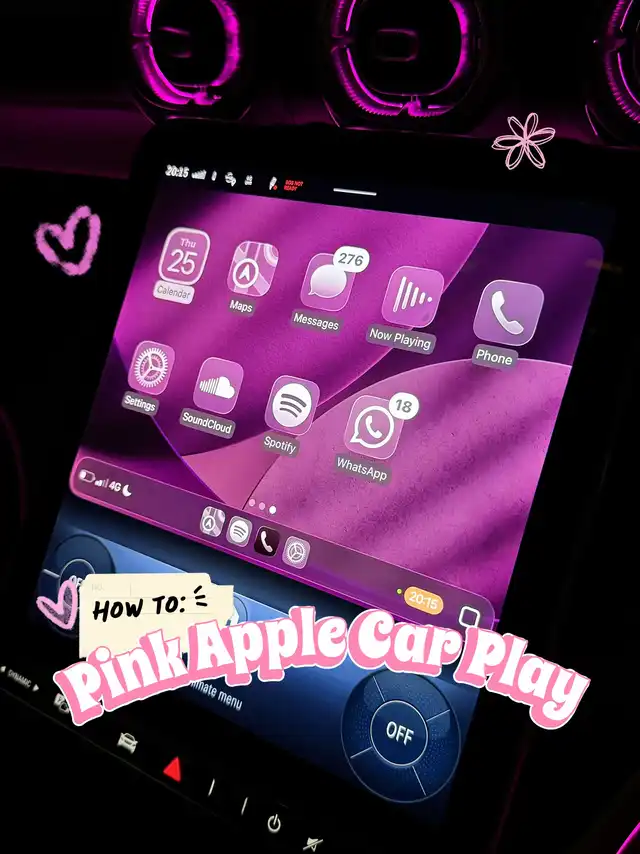
✨I found out how to change Apple CarPlay wallpaper!! Here’s how to do it step by step!✨
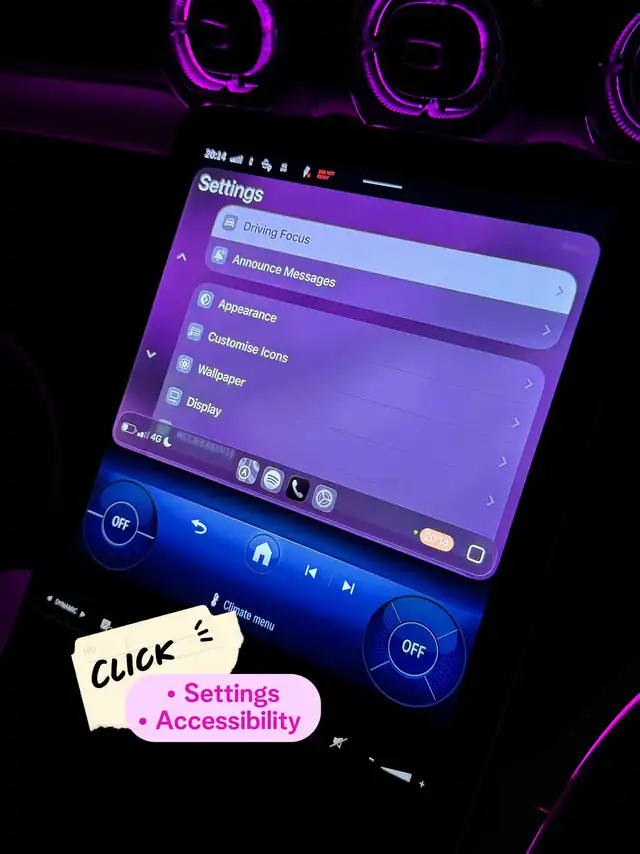
1. Go to Settings on your CarPlay menu.
2. Go to Wallpaper
3. Select the one you want. ( if you want pink,click the pink one)
4. Click Set.
5. Go to Accessibility
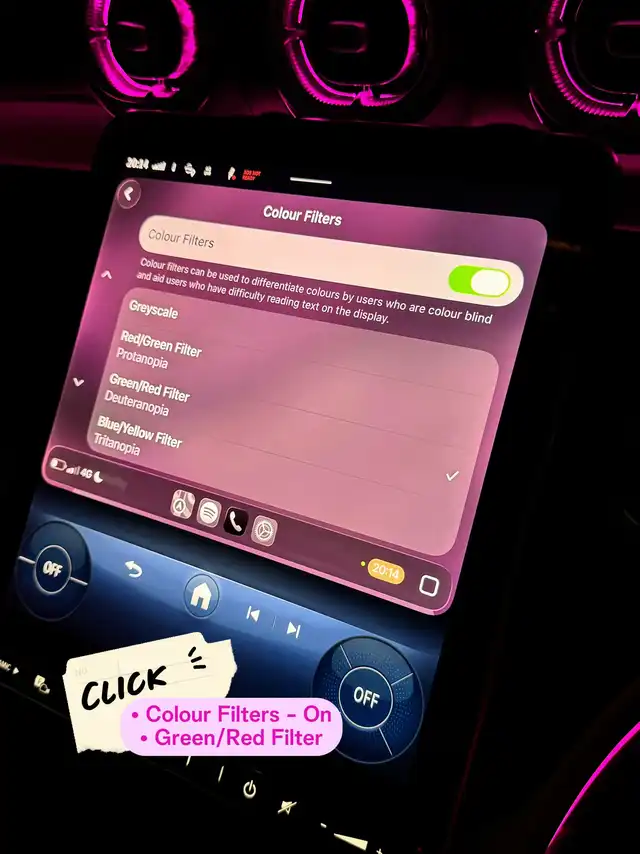
6. Go to Color Filters under Vision
7. Make sure it’s On
8. Scroll down and select Red/Green Filter
9. Scroll down and select the intensity to your liking
Let me know how yours turn out!! 💕
Changing the wallpaper on your Apple CarPlay interface can really personalize your driving experience, making it more visually appealing and easier on the eyes. Beyond just selecting a new wallpaper, adjusting the color filters is a great way to tailor the display to your specific needs, especially if you have color vision deficiencies or prefer a certain color tone. The process begins in the CarPlay Settings menu, where you not only choose your preferred wallpaper but also tap into the Accessibility options to fine-tune how colors appear on your screen. Turning on Color Filters and selecting the Red/Green Filter helps many users who struggle with those color spectrums by modifying the display intensity to a comfortable level. This feature isn’t just for aesthetics; it enhances readability and reduces eye strain while driving. If you want to take customization a step further, remember that CarPlay continues to receive updates that may include even more wallpaper options and advanced accessibility features. Always keep your iPhone and CarPlay system updated to enjoy the latest customization tools. When picking wallpapers, consider the driving environment; some wallpapers might be too bright or distracting during night driving, so choose a wallpaper that balances style with safety. Also, combining a matching color filter can complement your wallpaper choice and improve the overall interface experience. Many users share that regularly changing the wallpaper and experimenting with color filter intensities not only freshens up the look but can also improve their focus and comfort during long drives. Don’t hesitate to experiment with different settings and see what works best for you. If you encounter any issues or your car’s CarPlay doesn’t reflect changes instantly, a quick disconnect and reconnect or restarting your iPhone can help. Lastly, engaging with communities such as #CarPlay and #Colors forums can provide tips, wallpaper ideas, and solutions from fellow users who are also customizing their CarPlay experience. Sharing your setup and tweaks might inspire others too, creating a richer experience for all.




Yassssssss 💕💕💕💕💕💕💕 sorry its really sunny 😎